Foldsuite
A self-hosted stack for Folding@home: a Rust node, a real-time stats hub, and an Android app to run your whole fleet from your pocket.
Three parts, one system.
Foldsuite is an independent, self-hosted companion for Folding@home — built entirely on its open protocol, so the official clients keep working exactly as they do. Each piece stands alone; together they give you full remote control of every machine, with no ports opened and no third-party cloud.
fah-node-rs
A protocol-compatible Folding@home node, implemented in Rust — official clients and the web client connect to it unchanged. Relay, admin dashboard, supervised account agent, Home Assistant bridge, and auto-renewing TLS. Open source (GPL-3.0).
fold-monitor
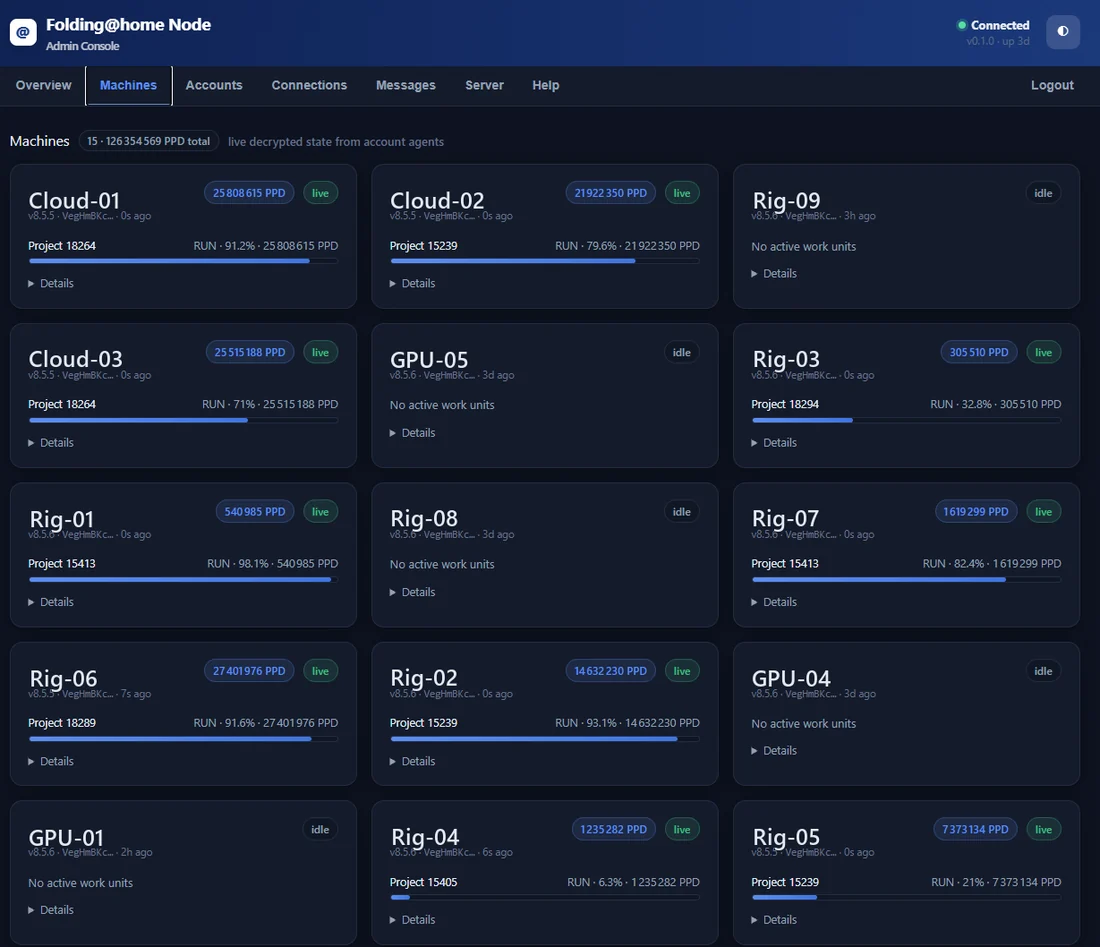
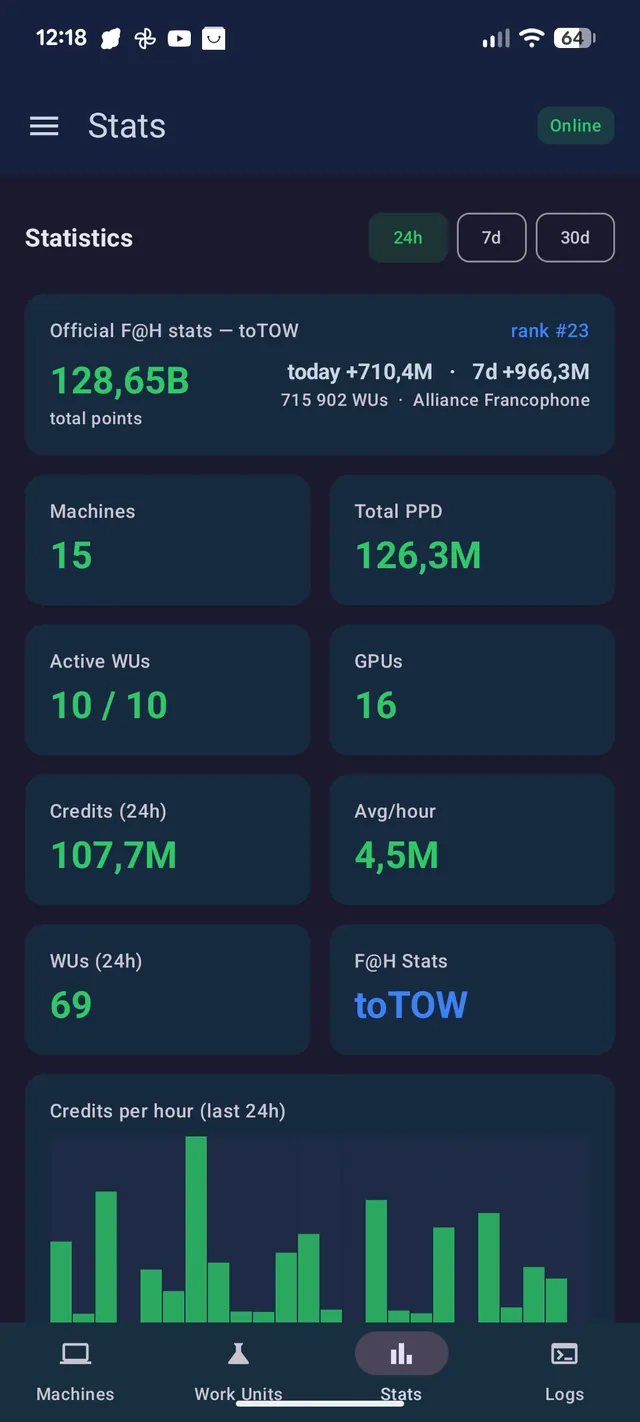
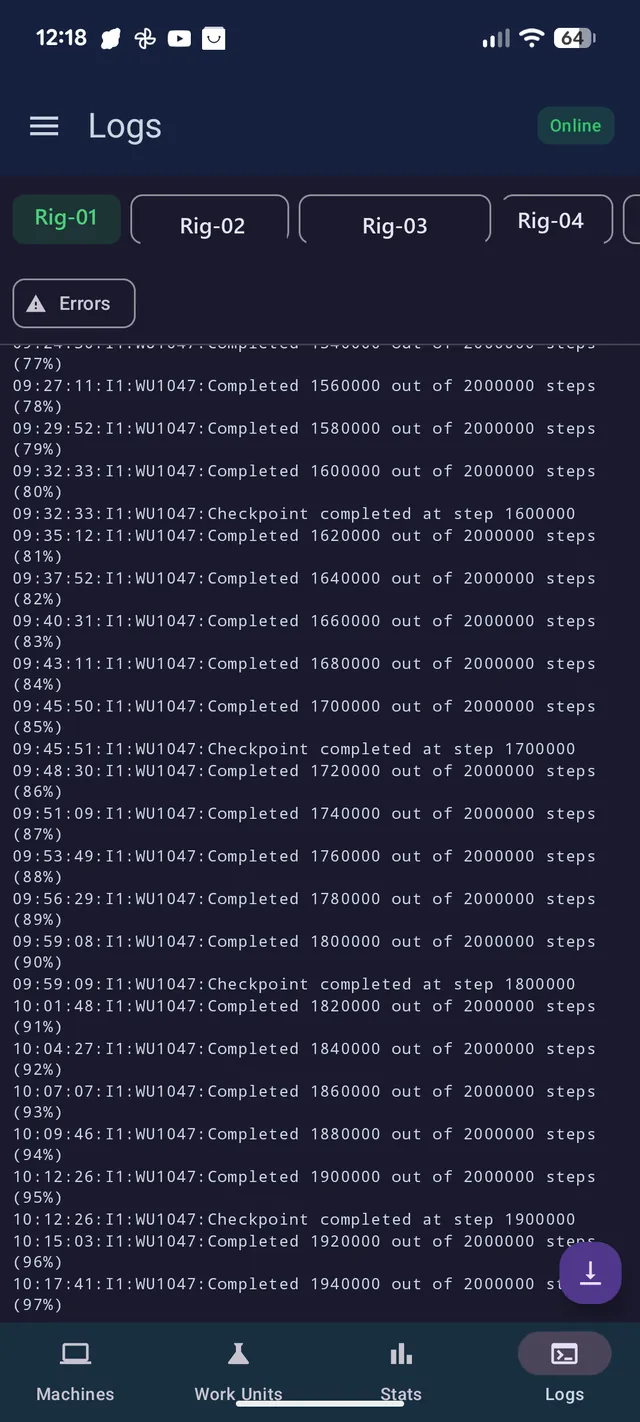
A standalone stats hub. Pause-aware PPD, a bonus-accurate credit ledger, live logs, per-machine error tracking, and a self-hosted push channel that feeds the app without any distributor.
Fold Control
The Android app. See every machine, pause / fold / finish remotely, read logs, track credit, and get notified when a work unit finishes or fails — all over an encrypted channel.
Three modes, from simple to full.
Fold Control connects to your node in one of three ways. Each adds capability in exchange for a bit more of the stack. Start simple; move up when you want logs, accurate stats, and instant alerts.
| Capability | NormalStandard | EnhancedNode offload | Enhanced + MonitorFull · recommended |
|---|---|---|---|
| In one line | Direct end-to-end encrypted relay | The node decrypts and computes for you | Enhanced, plus a live stats & logs hub |
| What you need | The app + any node | An enhanced fah-node-rs | Enhanced node + fold-monitor |
| Where decryption happens | On your phone | On the node | On the node |
| Battery & data use | Higher | Lower | Lowest — live push |
| Live PPD | On-device estimate | Computed on the node | Pause-aware & accurate |
| Stats history (7 / 30 d) | ~24 h, on-device | From the node snapshot | Full bonus-accurate ledger |
| Logs tab | Live (relay) | — | Live (served by monitor) |
| Notifications | On-device polling | Node event log | Instant self-hosted push |
| Error & offline tiles | Basic | Basic | Per-machine ⚠, debounced offline |
| Ports to open at home | None | None | None |
| Best for | Simplest setup, any node | Lower battery, server compute | The complete experience |
Switch modes any time in the app’s settings — the folding never stops, and no work is ever lost. In every mode the passphrase stays on your phone and your machine is never exposed to the internet.
The node, in Rust.
A protocol-compatible Folding@home node — relay, admin, agent, and supervision in one small binary. Your existing clients and the web client connect to it unchanged; the app talks to it too.
- Optimized relayLow-latency routing between your clients and Folding@home, with automatic reconnection.
- Admin dashboardA web panel, secured by Google sign-in, to watch connections, manage accounts, and push machine configs.
- Operator-blind enrollmentThe app enrolls with a derived key — your Folding@home passphrase never touches the server.
- Home Assistant integrationNative PPD sensors and pause/fold controls, no custom plugin.
- Automatic HTTPSBehind Caddy, certificates issue and renew themselves. No cron, no certbot.
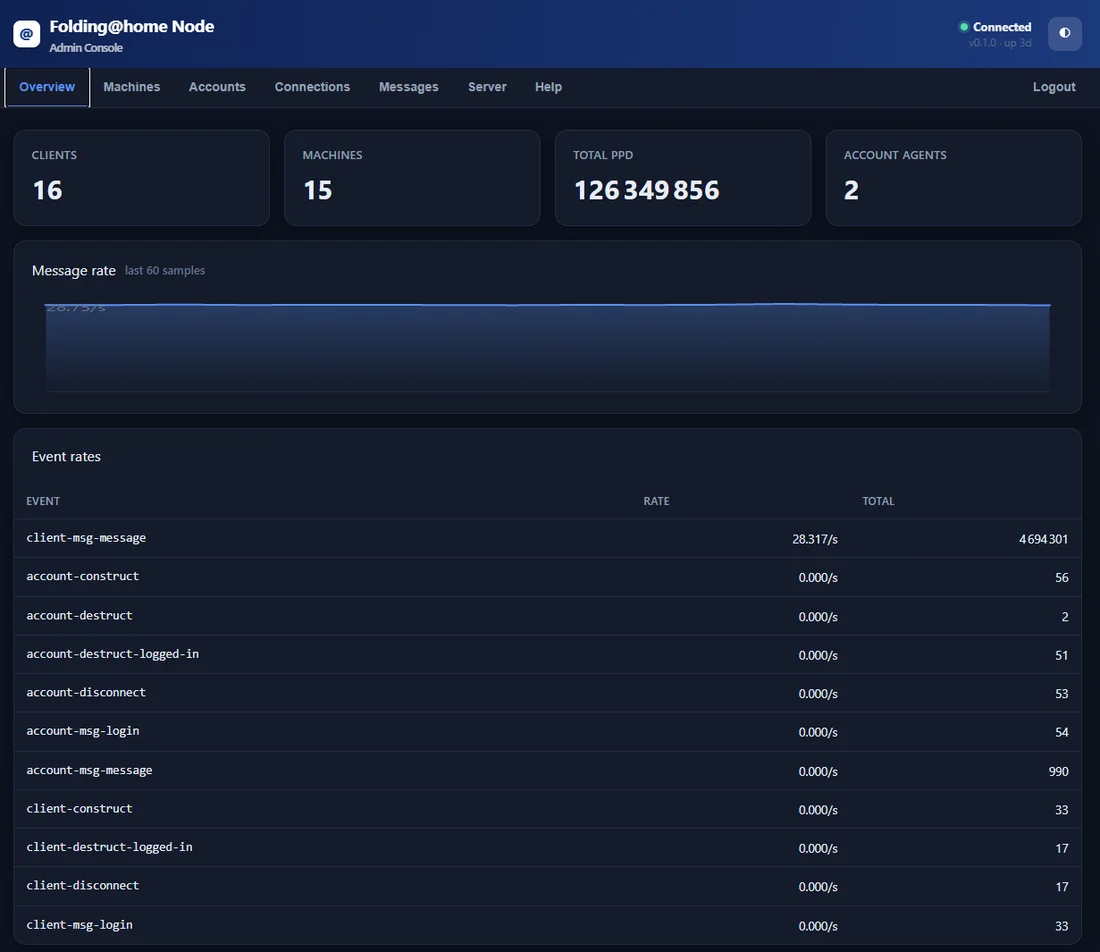
The stats hub, in real time.
A standalone service that watches every client, keeps history the phone can’t, and pushes it all to the app the instant it changes.
- Pause-aware PPDYour true rate, never inflated by pauses or restarts. Honest numbers.
- Bonus-accurate creditA full ledger with the quick-return bonus applied, so 24 h / 7 d / 30 d totals match reality.
- Live logs & error tilesPer-machine log history and a warning the moment a work unit fails or dumps.
- Self-hosted pushA quiet SSE channel delivers alerts instantly to the app — no Google, no third-party distributor.
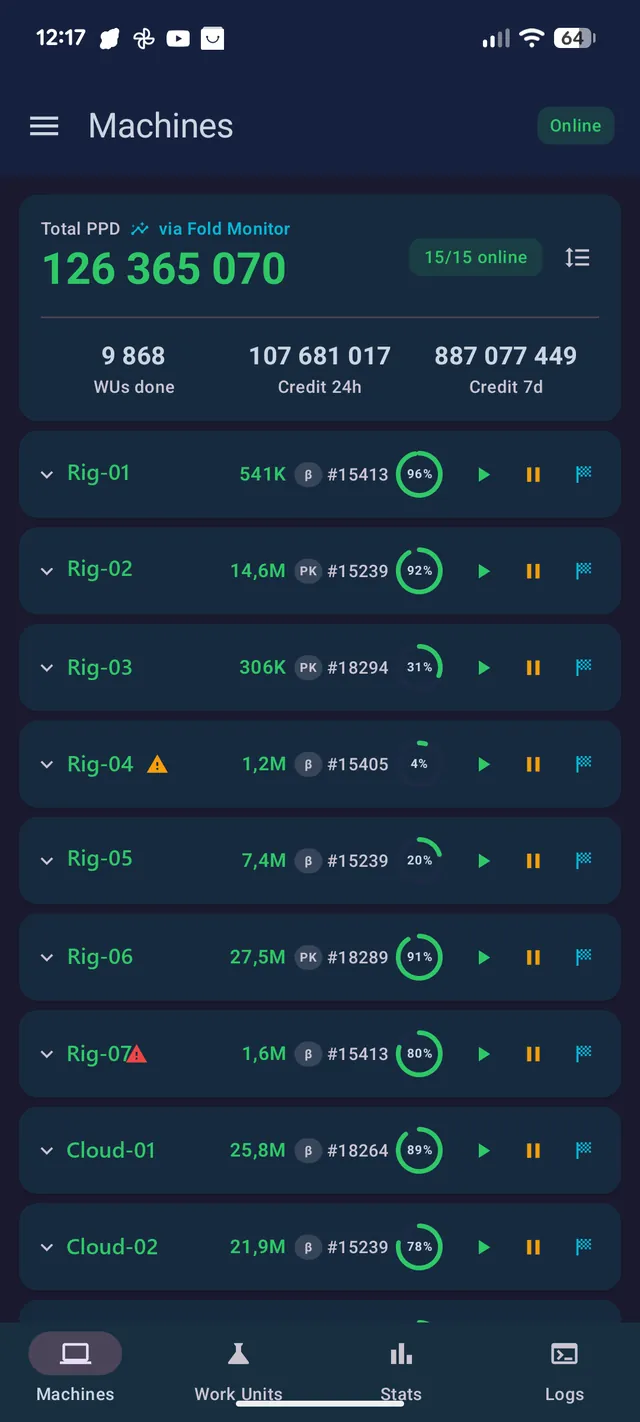
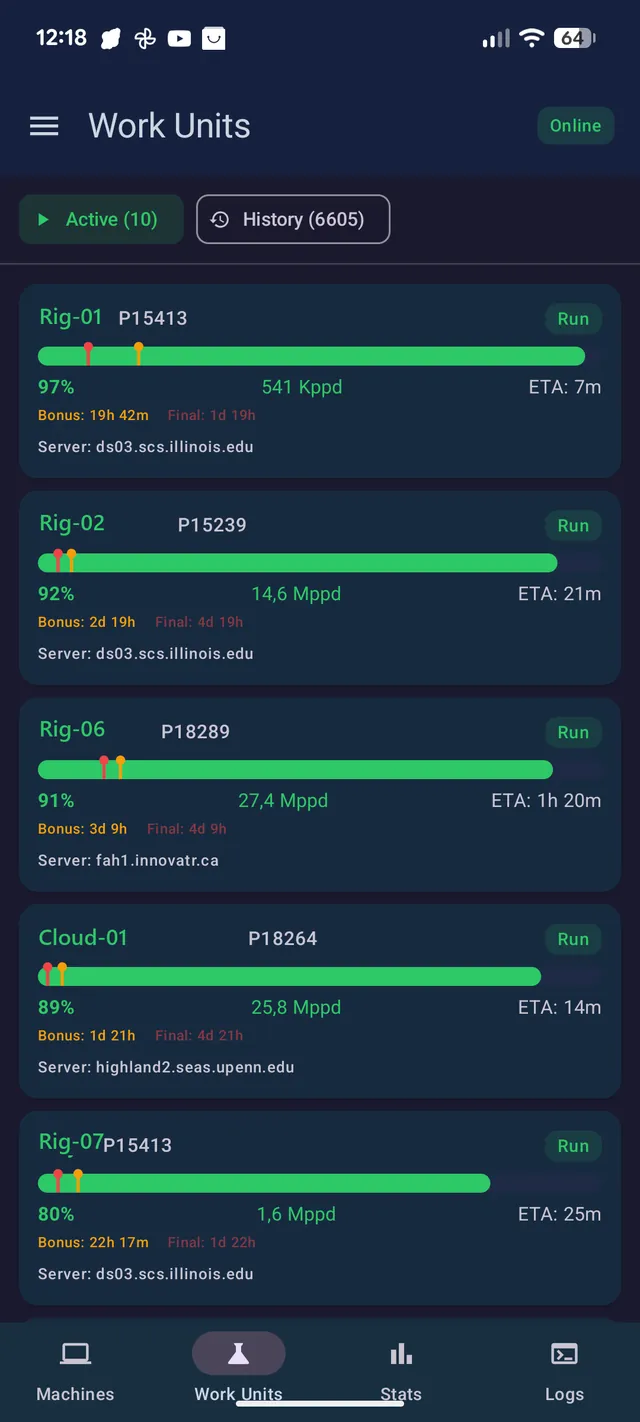
Your whole fleet, in your pocket.
A native Android app to run your clients remotely over an encrypted channel — no ports opened at home, your machine never exposed to the internet.
- Every machine at a glancePPD, progress, and state per machine — with a ⚠ tile the moment one hits a bad work unit.
- Pause · Fold · FinishControl any machine or group remotely, one tap, from anywhere.
- Logs, stats & alertsRead live logs, track bonus-accurate credit, and get notified on completions, failures, and drops.
- Bilingual · low-powerFrench & English, dark theme, and a live push channel that sips battery in the background.
Deploy the stack, step by step.
Everything runs with Docker Compose behind Caddy: node, monitor, your page, and Portainer — with automatic HTTPS and no external dependencies. About 20 minutes on a fresh VPS.
- 1
Server & DNS
A small VPS (2 vCPU / 4 GB) with ports 80 and 443 open, plus DNS A records for your apex,
www,nodeandportainerpointing at its IP.your-domain.tld A <VPS_IP> www · node · portainer A <VPS_IP>
- 2
Install Docker
One command installs Docker and Compose. Add your user to the docker group.
curl -fsSL https://get.docker.com | sh
sudo usermod -aG docker $USER && newgrp docker
- 3
Clone the stack
Clone the public repo straight onto your VPS — node, monitor and the Docker deploy kit, all in one.
git clone https://github.com/frodothehobbit/foldsuite.git
- 4
Configure
One shared token in
monitor_token(node) andapi_token(monitor). Admin access to the node is by Google sign-in: create a Google OAuth client, addhttps://node.your-domain.tld/loginas its redirect URI, put the client ID & secret in the node config, and list the emails allowed in underadmins.openssl rand -hex 24 # → monitor_token + api_token
- 5
Provision & launch
Provide your account key once (the passphrase is never stored), then bring everything up. Caddy issues the certificates.
docker compose run --rm monitor \
  fetch-key you@email.com account_key.json
docker compose up -d --build
- 6
Portainer & the app
Open
Get the source on GitHub ↗portainer.your-domain.tldand set the admin password immediately. Then point Fold Control atnode.your-domain.tldand enroll.
Good to know
- Who can open the admin panel? The node dashboard sits behind Google sign-in — only the email addresses you list under
adminsare let in; any other Google account lands on the login page with no access. There’s no separate admin password to leak, and the app’s operator-blind enrollment is unaffected. - Updating the monitor? Recreate only it —
docker compose up -d --force-recreate monitor. A blanketup -drestarts the node too and briefly disconnects clients (they keep folding — no work lost). - Switching enhanced nodes? In the app, go back to Standard first (Disconnect), then enter the new node and re-enroll — otherwise the old token lingers and you get 401s.
- Back to a plain node? Just pick Standard mode — the app reopens the direct encrypted relay. Remember to set your account’s “Node” field back so clients follow.